

You set up a Google Ads campaign, set a daily budget of just a few euros… and the money is gone before you see anything useful. Sound familiar? With a low daily budget in Google Ads, it quickly feels like you’re fighting the system. But the problem is usually not the budget, it’s the setup.
The good news: even with a small budget, you can get targeted clicks, relevant keywords, and real results. As long as you make sharp choices. No broad campaigns. No unnecessary experiments. Just focus.
In this article, I’ll walk you through how to set up Google Ads campaigns with a low daily budget, what to watch out for, and which mistakes you should absolutely avoid.

2. Define your goal first (not your budget)
With Google Ads and a low daily budget, your goal matters more than the number of clicks. A lot of clicks may look good, but they often lead to nothing. What really matters is what visitors do after the click.
There are three common goals. Traffic is about getting visitors to your website. Leads mean contact requests, phone calls, or form submissions. Sales are direct purchases through your webshop. Each goal requires a different campaign setup.
With a small budget, you can’t do everything at once. One clear goal creates focus, leads to better keyword and ad choices, and prevents your Google Ads budget from being spread too thin.
3. Choose the right campaign type intentionally
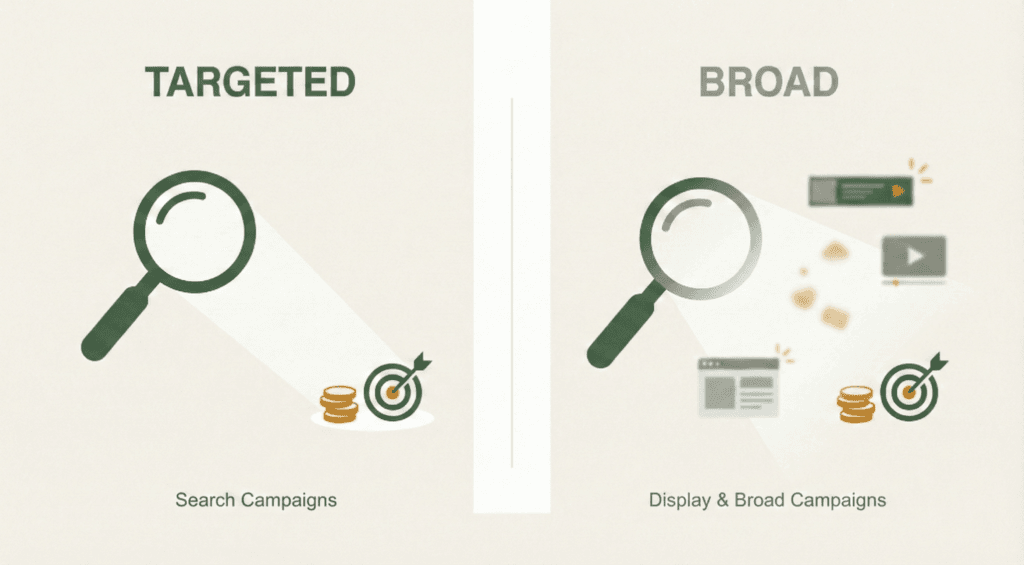
With Google Ads and a low daily budget, search campaigns are usually the best choice. You advertise on keywords with clear buying or action intent, which gives you more control and less wasted spend.
Display campaigns and broad targeting may look cheap, but they often bring in many irrelevant clicks. Your budget is then gone quickly without results.
Performance Max can work if you already have solid conversion data. Without data, Google often spends the budget in the wrong places.
Example: local service → search campaign. Webshop with sales data → Performance Max. Brand awareness → not ideal with a small budget.
4. Limit the number of campaigns and ad groups
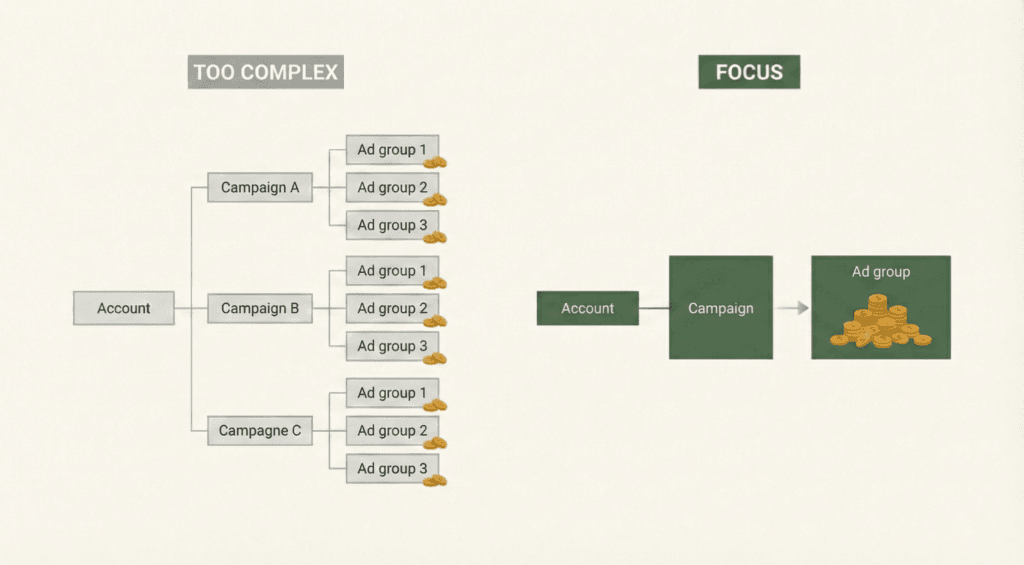
With a low Google Ads budget, fewer campaigns often perform better. Every campaign and ad group needs data to optimise properly. Splitting things up too much means Google doesn’t learn enough.
In many cases, one campaign is smarter than several. This keeps your budget focused and makes the account easier to manage. Sometimes even one ad group is enough, especially when you’re working with a small set of strong keywords.
Practical example: one search campaign, one ad group, 5 to 10 high-intent keywords, and one strong ad. Simple, clear, and effective with a small daily budget.
5. Select keywords with the highest intent
With Google Ads and a low daily budget, search intent matters more than search volume. High volume may sound attractive, but it often leads to expensive clicks with little return. You want to reach people who are already ready to take action.
Focus on problem- and solution-driven keywords. These are search terms where someone is clearly looking for help or ready to buy. Avoid broad or informational searches like “what is” or “explanation”, as they rarely lead to conversions.
Good examples for a small budget include: “painter needed near [city]”, “personal trainer at home”, “cv boiler maintenance contract”, and “google ads agency cost”. Less traffic, but far more relevant.
6. Use match types strategically
With Google Ads and a low daily budget, exact match and phrase match give you the most control. Your ads are only shown for searches that closely match your keyword. This helps prevent wasted spend and keeps your costs lower.
Broad match may seem useful, but it often leads to irrelevant clicks. With a small budget, that’s risky. You end up paying for traffic that doesn’t convert. Match types have a direct impact on CPC and control.
The broader the match type, the less control you have. For beginners, the advice is simple: start with exact and phrase match, analyse search terms, and only expand once you have enough data.

7. Write ads with maximum relevance
With Google Ads and a small daily budget, ad relevance is even more important. The better your ad matches the search query, the higher the chance of clicks and conversions. Poor relevance costs money immediately.
Include your main keywords in the headlines. This shows the searcher right away that your ad matches what they’re looking for. Be clear and specific. Creative copy can be nice, but it often delivers fewer results.
A simple structure works best:
- Headline 1: keyword + service
- Headline 2: clear benefit
- Description: what you do, who it’s for, and what the next step is
8. Use negative keywords from day one
With Google Ads and a low daily budget, negative keywords are essential. They prevent your ads from showing for the wrong searches. Without exclusions, your budget is quickly wasted on irrelevant clicks.
Immediately exclude keywords like “free”, “job”, “vacancy”, “course”, “DIY”, and “what is”. These terms rarely lead to customers. Negative keywords make sure your budget is spent only on relevant searchers.
Regularly check the search terms report and add new exclusions. You don’t need anything complex. A simple routine works best: review it briefly once a week and make small adjustments. This keeps you in control and protects your Google Ads budget.
9. Choose a bidding strategy that fits limited data
With Google Ads and a low daily budget, there is often very little data. Automated bidding strategies need time and conversions to work properly. In the early stages, they can behave unpredictably.
In that case, manual bidding can be a good option. You keep control over your cost per click and prevent your budget from being spent too quickly. Smart bidding strategies like Maximise Conversions can work later, once you have enough data.
With small budgets, don’t expect instant results from automation. Set clear limits, monitor your daily budget closely, and avoid sudden changes. This helps ensure Google doesn’t spend your budget too fast and keeps your campaign under control.
10. Optimise your landing page for conversion, not information
With Google Ads and a low daily budget, your landing page must do what it’s meant to do: convert. Information-heavy pages often explain too much and distract visitors. That leads to fewer conversions.
Focus on one clear action per page, such as a contact request or quote. Everything on the page should support that action. Long texts, extra links, and multiple buttons work against you.
Forms are a major barrier. The more fields you ask for, the higher the chance someone drops off. Only ask for what’s truly necessary. Practical improvements include short forms, clear headings, fast load times, and a strong call-to-action above the fold.
11. Track only what truly matters
With Google Ads and a low daily budget, tracking too much can actually work against you. If you set up too many conversions, Google won’t know what to optimise for. That makes your campaign unstable and more expensive.
Use primary conversions for actions that truly matter, such as a lead submission or a purchase. Secondary conversions are supportive, like a button click or scroll depth. These are mainly for insight, not for optimisation.
At a minimum, track one clear main action. Regularly check whether your tracking works correctly. Tracking errors cause Google to make the wrong decisions, which can quickly waste money when budgets are small.
12. Analyse and optimise in small steps
With Google Ads and a low daily budget, small tweaks work better than big changes. Frequent, small optimisations create stability and clearer insights. Large changes make it hard to see what’s actually working.
In the first few weeks, avoid changing too much at once. Let your keywords, bids, and ads run for a while. What you can do: review search terms and add negative keywords. It’s better to postpone major structure changes.
Even with limited data, you can still learn. Look for patterns in clicks and search terms. Follow a simple cycle: measure, make one small change, wait, then measure again. This helps you improve step by step without disrupting performance.
13. Common mistakes with Google Ads on low budgets
A common mistake with Google Ads on a low budget is running too many campaigns at once. Your budget gets split, and you end up with too little data for anything to optimise properly. Overly broad keywords also lead to unnecessary costs and weak results.
Another issue is that people draw conclusions too quickly. After just a few days, there’s usually not enough data to judge performance. Patience matters.
Finally, automation is often overrated. Smart bidding strategies only work well once you have enough conversions. With limited data, automation can actually waste money. Stay in control, optimise step by step, and give your campaigns time to learn.
14. When scaling starts to make sense
Scaling Google Ads with a low daily budget only makes sense once your structure is working consistently. Good signals include steady conversions, predictable cost per lead, and relevant search terms. Only then do you know your foundation is solid.
Increasing your budget is worthwhile when extra spend also brings in extra conversions. Never increase too much at once. Small steps work better. Start by scaling what already performs well, such as strong keywords and your best-performing ads.
What you should avoid when scaling is changing everything at the same time. Keep your structure, match types, and landing pages as they are. Change one thing at a time, otherwise you lose clarity and disrupt performance.
15. Summary & key takeaways
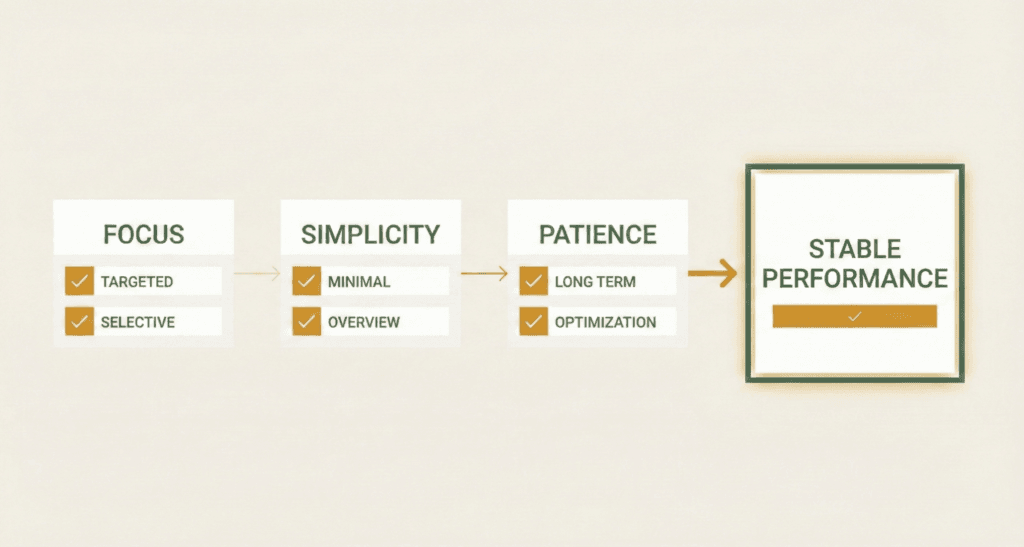
Google Ads with a low daily budget can work well if you keep the basics simple. Focus on one goal, one campaign, and high-intent keywords. This helps prevent wasted spend and keeps you in control.
Checklist:
- Clear goal defined
- Limited number of campaigns
- Targeted keywords and match types
- Negative keywords in place
- Conversions tracked correctly
Don’t expect quick miracles. With small budgets, you build data step by step. Results often come gradually. Keep testing, learn from the data you have, and make small improvements. Patience and focus lead to more stable and better performance in the long run.
Ready to get more results from a small Google Ads budget?
At Search Summit, we help businesses set up and optimise Google Ads the smart way — even with a low daily budget. No wasted spend, no noise, just focus on what works.
Want to know where your campaign is leaving opportunities on the table?
Schedule a short, no-obligation Google Ads check and discover what can be improved.



